
Author
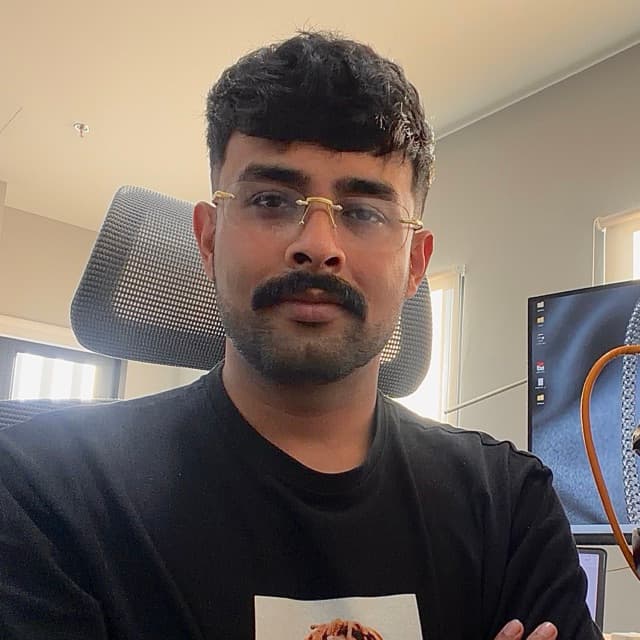
Dibyahas Saikia
Dibyahas Saikia is the Managing Director of Hues Global Co., Ltd., based in Bangkok, and a co-founder of Hues AI. The company combines 3D CAD design with AI imaging to produce photoreal renders and production-ready technical models for jewelry brands.
Dibyahas leads the development of huesis.ai, the studio that turns a sketch, a CAD file or a product photo into catalog-ready images, so a brand can show a piece long before a photo shoot. Dibyahas also writes and reviews the guides on this site: how to photograph jewelry, virtual try-on, marketplace photo rules and CAD rendering. About Hues AI.
- Role
- Managing Director, Hues Global Co., Ltd. Co-founder, Hues AI
- Based in
- Bangkok, Thailand
- Areas
- Commercial and fine art photography, video production, 3D CAD rendering
21 guides
How to Photograph Rings: A Step-by-Step Guide
Clean the ring, hold it still, surround it with white card, shoot at a mid aperture, and take a short set of angles. Each step with what usually goes wrong.
How to Photograph Silver Jewelry Without Reflections or Color Casts
Silver reflects everything around it. Give it white to reflect, keep it clean, light it from one color temperature, and check the color against the real piece.
How to Photograph Jewelry With a Phone
A step-by-step guide to jewelry photography with an iPhone or Android phone: light, a steady mount, macro mode, focus and settings, and what usually goes wrong at each step.
How to Get a Pure White Background on Jewelry Photos
Light the backdrop separately, expose for the piece, push the background to exactly RGB 255,255,255 in an editor, then check it with the eyedropper. What goes wrong at each step.
How to Try On a Ring Online Before You Buy
Find your size, choose a band width and stone shape for your hand, then see the ring on your own finger. What a photo try-on shows, and what it can't.
What Necklace Length Suits Me? How to See It Before You Buy
Measure a chain you already like, match the length to the neckline you wear most, then see the necklace on a photo of yourself in that neckline.
How to Try On a Bracelet Online Before You Buy
Measure your wrist, add the allowance for a snug, comfort or loose fit, then see the bracelet on your own wrist before you order.
How to Choose Jewelry as a Gift: Ring Size, Style and Seeing It on Them
Read their jewelry box, find a ring size without giving the surprise away, pick the right necklace length, and see the piece on a photo of them before you pay.
How to Choose a Watch as a Gift: Size, Style and Budget
Work out their wrist size without spoiling the surprise, pick a case size and a style that suits how they live, and see the watch on a photo of their wrist.
Christmas Jewelry Photography: Ideas, Props and Marketplace Rules
A holiday shot list for jewelry sellers, props that suit small pieces, how to keep red and green out of polished metal, and which listing images can carry festive styling.
Jewelry Instagram Post Ideas for the Holiday Season (Plus WhatsApp)
Gift guides by person and price, posts that show scale, Reels from one still, festival posts from Diwali to Christmas, and a WhatsApp Business catalog that turns chats into orders.
What Would I Look Like With Earrings? How to See Before You Buy
A mirror, a camera try-on, a photo try-on or a paper cut-out: four ways to see a pair on your own face before you pay, and how to read length and size.
How to Try On a Watch Online Before You Buy
Measure your wrist, shortlist by case size and lug-to-lug length, then see the watch on your own wrist. What a try-on can tell you, and what it can't.
Photographing Jewelry on Models: A Practical Guide
Choosing the right model for each piece, posing rings, earrings and necklaces, lighting metal on skin, model releases, and when an AI on-model image does the job instead.
Jewelry Sketch to Render: From a Pencil Drawing to a Photoreal Image
What a sketch-to-render tool is for, how to photograph your drawing, how to describe metal and stones, and where a render fits between the first sketch and CAD.
How to Turn a CAD File into a Photorealistic Render
A practical path from a jewelry CAD model to a photorealistic image: assigning materials, setting gemstones, lighting for sparkle, and where AI compresses the whole process.
Jewelry E-Commerce Image Best Practices That Convert
The image standards that make jewelry sell online: the right resolution and backgrounds, a consistent set of angles, scale cues, and honest color across every listing.
How to Reduce Product Photography Costs Without Losing Quality
Nine practical ways to bring down the cost of product photography, from smarter batching and templated setups to AI imaging, without letting your catalog look cheap.
Virtual Try-On for Jewelry E-Commerce: A Complete Guide
How virtual try-on works for jewelry, why it helps shoppers commit, the categories it suits best, and a practical path to adding it to your store without a heavy build.
AI Jewelry Photography: How It Works and When to Use It
What AI jewelry photography actually does, how the models are trained, the inputs that work best, realistic costs and turnaround, and where it fits alongside a traditional camera.
How to Photograph Jewelry at Home Like a Pro
A hands-on guide to photographing jewelry: the gear that matters, how to control light and reflections, the camera settings for crisp detail, and where to stop fussing and let software help.
Start with 80 free credits
No card required. Turn your next product shot into catalog-ready imagery in under a minute.