
For jewelry designers
From sketch or CAD to a photoreal image, before you cast
Turn a hand sketch or a CAD file into a photoreal render, try it in other metals, and put a finished image in front of a client before anything is made.
Updated
In short
Hues AI is an AI imaging studio for jewelry. A designer uploads a hand sketch or a CAD render and gets a photoreal image of that same design in about 30 seconds, to show clients and take orders before casting, with full commercial rights.
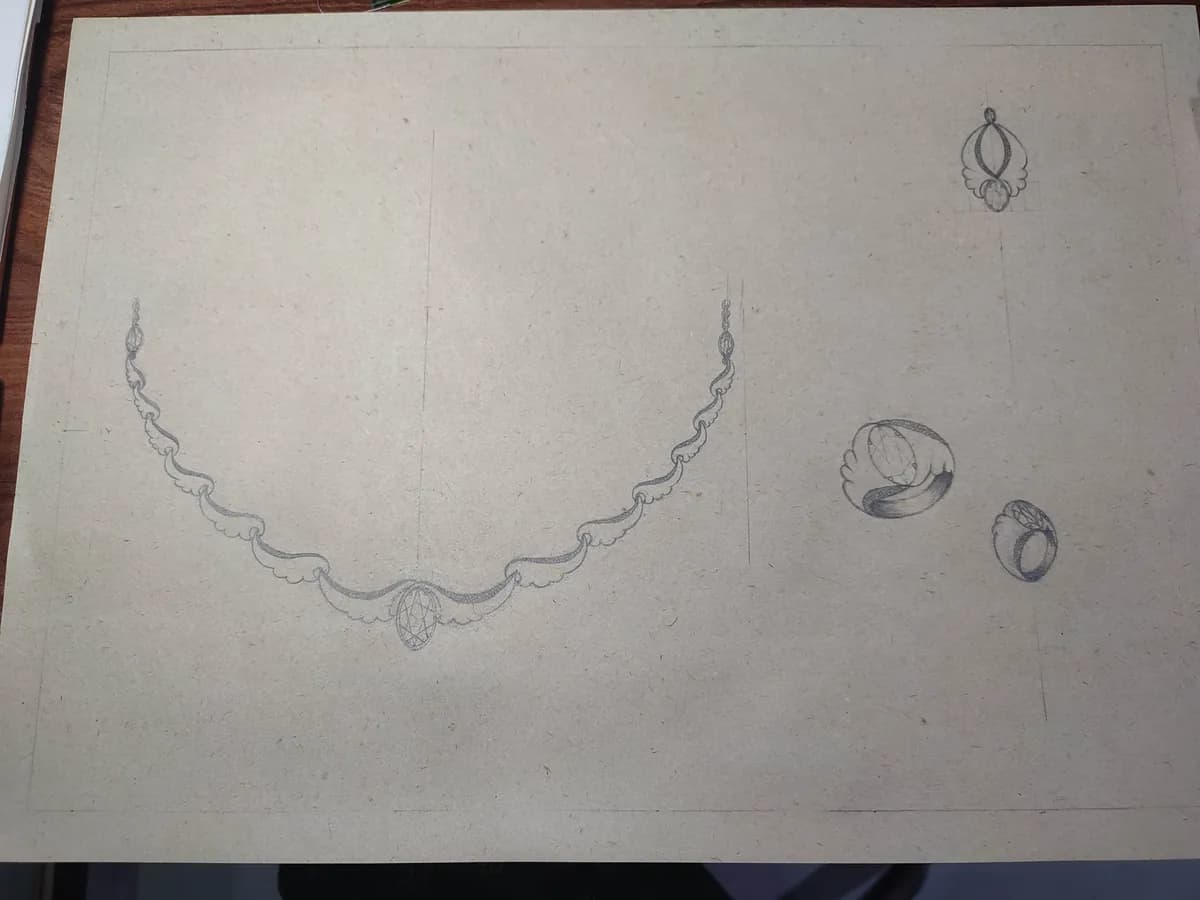
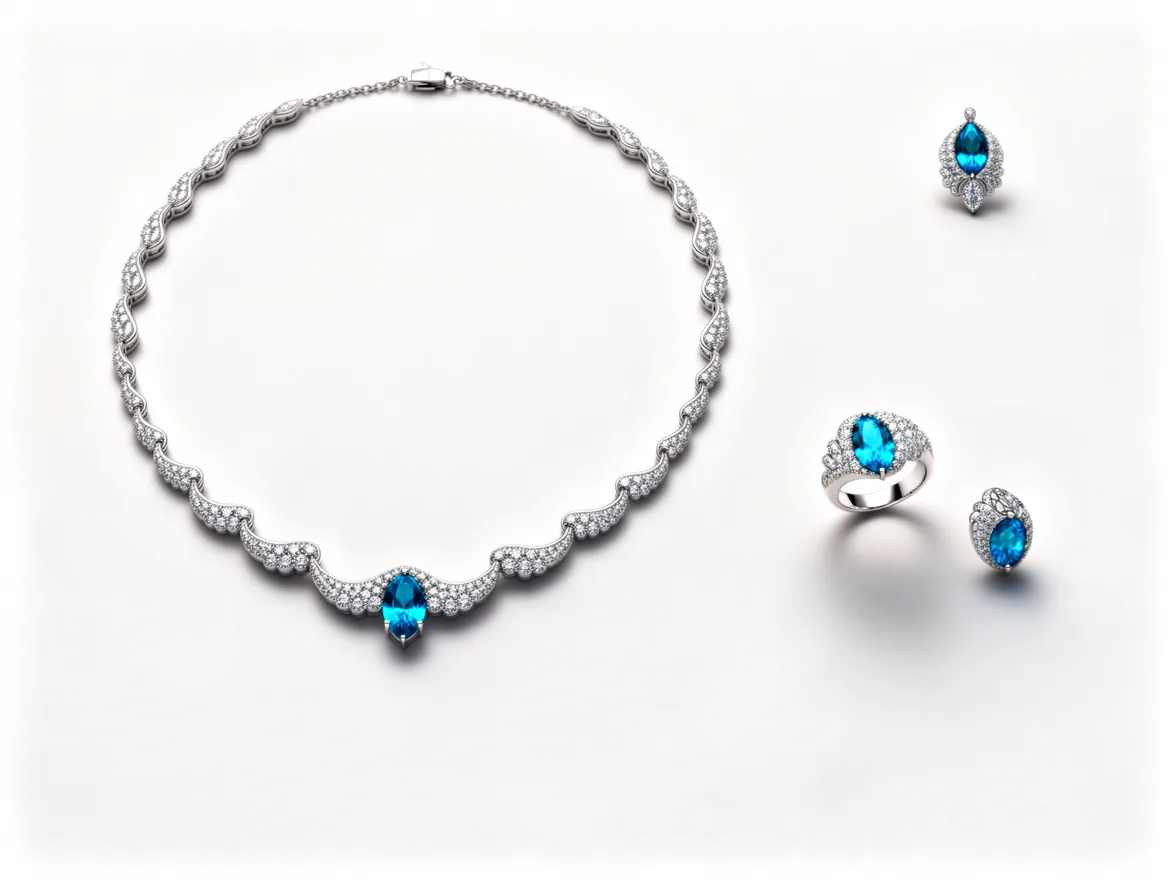
A real studio job: the photo on the left went in, the image on the right came out.
A designer has to sell a piece before it exists. Clients and buyers judge a design from a sketch or a CAD screenshot, and both make it hard to picture the finished piece. Hues turns either one into a photoreal image of the piece, so the conversation starts from what it will look like.
Sketch to render
Upload a hand sketch and Hues renders the same design as a finished piece, with the motifs, stones and setting you drew. It works from a photo of a pencil drawing, so you can show an idea the same day you draw it. It does not invent a new design from a text prompt.
CAD to a photoreal image
The design visualizer turns CAD renders into photoreal images in about 30 seconds, without waiting on a manual rendering pass. The metal color tool can then edit a render from a written instruction, such as a different metal; check each result against the design.
Sell it before you make it
Because every render carries full commercial rights, you can put bespoke and made-to-order concepts in front of clients as finished imagery, take orders before casting, and use the same images on your site and social.
The tools for this job
Jewelry sketch to render
A pencil sketch in, a photoreal render of the same design out.
CAD jewelry design visualizer
CAD renders turned photoreal without a manual rendering pass.
Change jewelry metal color
Try another finish on a render from a written instruction.
Jewelry model photography
Show the finished design worn, for client presentations.
Jewelry product video
A short clip of the design for a pre-order post.
Image rules for the marketplaces you sell on
What it costs
For a few designs at a time, the smallest pack is enough to start. The Starter pack is 500 credits for $17.50, or $0.035 per credit. Credits are a one-time purchase, and the studio shows each job’s credit cost before it runs. Every pack from 500 to 50,000 credits is on the pricing page.
Talk to sales
Tell us what you sell and how many images you need a month.
Frequently asked questions
Sketch to render uses your drawing as the blueprint: it changes how the piece is presented, not what the piece is. Check a render against the design before you show it to a client, as you would a manual render.
The metal color tool edits an image from a written instruction, such as the metal you want, with up to five reference colors for exact shades. Compare each result with the design before using it.
Every render comes with full commercial rights, so you can use it in client presentations, pre-orders, your website and social media.
A clear photo or scan of a hand sketch, or an exported CAD render, is enough to start.
Hues renders from the view you upload. Export each angle you need from your CAD file, render each one, and compare every result with the model, since the render follows the input you give it.
Related
Jewelry manufacturers and wholesalers
Batch a collection with the same lighting and framing, turn CAD files and sketches into photoreal images, and show designs before they are cast.
Online jewelry stores
Catalog shots on white, on-model images and short product video, made from the phone or studio photos you already have. Each render takes about 30 seconds.
Jewelry Sketch to Render: From a Pencil Drawing to a Photoreal Image
What a sketch-to-render tool is for, how to photograph your drawing, how to describe metal and stones, and where a render fits between the first sketch and CAD.
How to Turn a CAD File into a Photorealistic Render
A practical path from a jewelry CAD model to a photorealistic image: assigning materials, setting gemstones, lighting for sparkle, and where AI compresses the whole process.
Pricing
One-time credit packs, no subscription.
Start with 80 free credits
No card required. Turn your next product shot into catalog-ready imagery in under a minute.