
Model Photography
AI jewelry model photography without the shoot
Lifelike model photography rendered in about 30 seconds.
Costs 10–110 credits a run ($0.35–$3.85 at the starter rate). The studio shows the exact price before you run it. Every tool's price
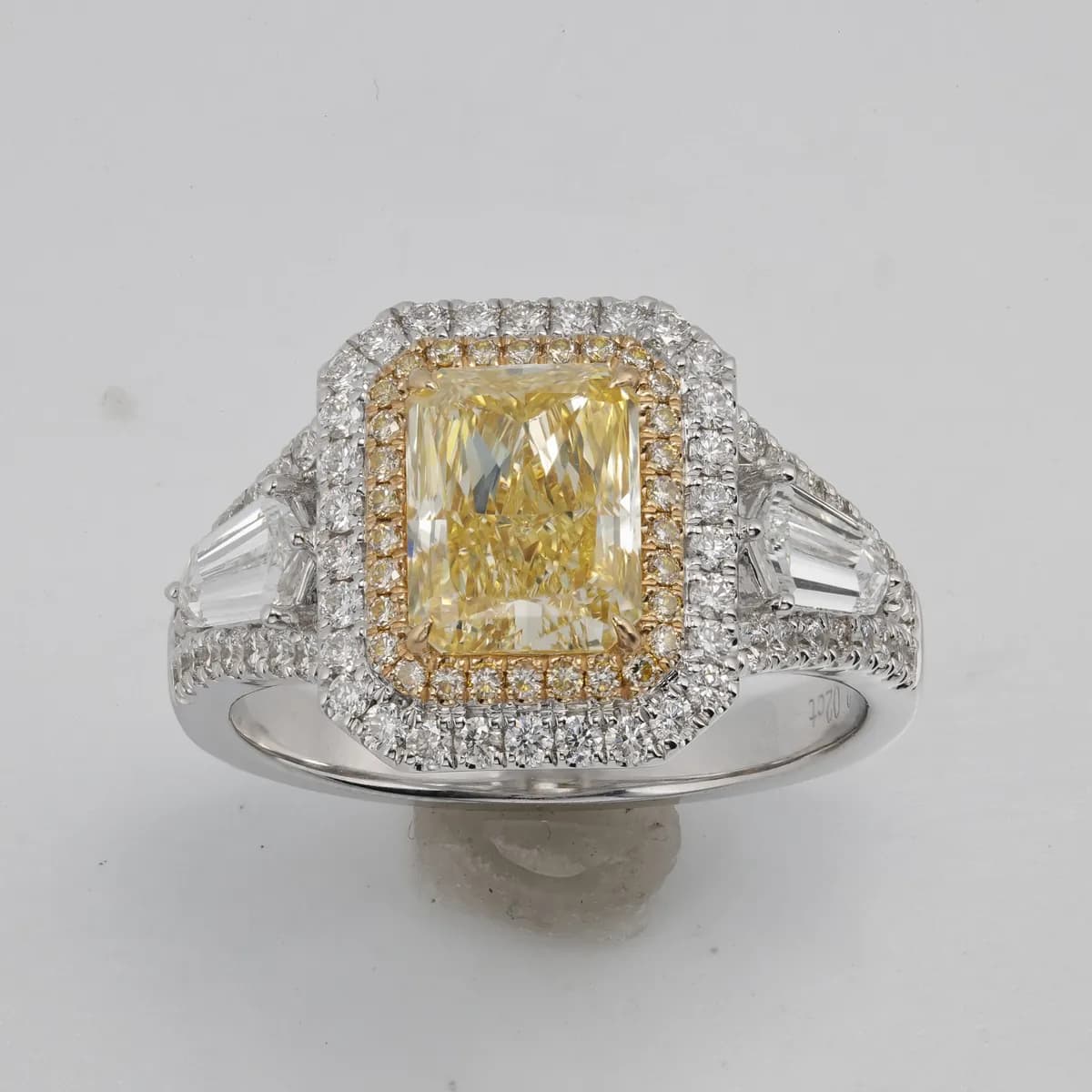
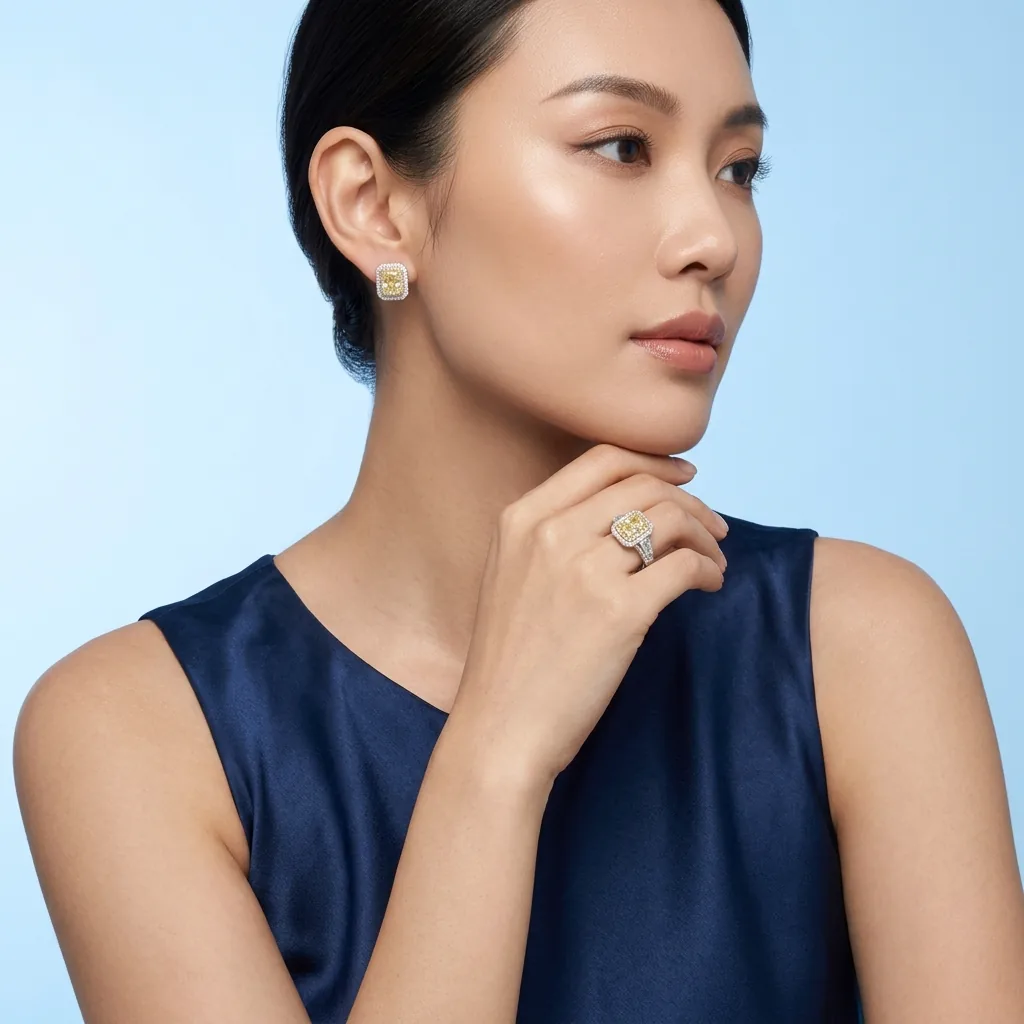
A real studio job: the photo on the left went in, the image on the right came out.
AI jewelry model photography puts your pieces on lifelike fashion models without casting, styling, or a studio day. Upload a product and Hues renders an editorial on-model image in about 30 seconds, giving jewelry the context of a real campaign. Every frame comes with full commercial rights.
Jewelry on models: what a model shot adds that a product shot cannot
A product shot answers what a piece is. A model shot answers what it is for. The same necklace on white is inventory; on a styled model in a considered frame it is an occasion, and shoppers price those two things differently even when the object is identical.
That shift is mostly context — a neckline, a fabric, a colour palette, a mood. Rendering it means the context can be chosen deliberately for a collection rather than being whatever the studio happened to have available on the day.
Holding a look across a collection
The reason campaign imagery reads as premium is rarely any single frame. It is that thirty frames agree with each other — the same light, the same styling register, the same distance from the subject. That consistency is genuinely hard to hold across a shoot booked over several days, and straightforward to hold when the styling is a setting rather than a set.
It also means a mid-season addition can be rendered into the campaign that already exists, instead of looking like the piece that arrived late.
Where on-model frames earn their place
Lookbooks, seasonal landing pages, editorial and paid social are all places where the object alone underperforms, because the job of the image is to establish desire rather than to describe a specification.
Every frame comes with full commercial rights, which covers print and advertising as well as the website.
Why jewelers use it
Campaign context
Jewelry reads as aspiration, not inventory, once it sits on a styled model in a considered frame.
No production overhead
Cut casting, hair, makeup, location, and crew, and still get editorial on-model imagery.
Consistent brand look
Hold the same styling and mood across a season so your campaign feels intentional.
Full commercial rights
Every render comes with full commercial rights for lookbooks, ads, and social.
How it works
- 1
Upload the piece
Add a product photo or an existing on-model shot of the jewelry.
- 2
Set the styling
Choose a model look and mood that suit your brand.
- 3
Render the frame
Hues delivers an editorial image in about 30 seconds.
What you can feed it
- Product photos
- Existing model shots
- Flat lays
- CAD renders
- Lookbook references
Frequently asked questions
Yes. You can hold the same styling, mood, and framing across an entire collection, so a season of imagery feels like one deliberate campaign rather than a set of mismatched shots. Consistency is part of what signals a premium brand.
For most catalog and campaign needs, it removes the casting, styling, location, and crew that make shoots slow and costly. You still get editorial on-model results, rendered from your product images in seconds.
Rings, necklaces, earrings, bracelets, and watches all render on-model, and the studio also supports broader fashion shots. That range lets you present individual pieces or a fuller styled look.
Create an account and verify your email address and you receive 80 free credits, with no card required. Model renders vary in cost depending on the look you choose, and the studio shows the exact credit cost before you run one.
Related tools & reading
AI jewelry photography
Catalog-ready photography rendered in about 30 seconds.
Jewelry set try-on
Coordinated set imagery rendered in about 30 seconds.
Jewelry background removal
Clean or styled backgrounds rendered in about 30 seconds.
Product photos with a model
Turn a clean product photo into a lifestyle image of a person holding it.
Catalog Image
A catalog image is a clean, consistent, and accurate product photograph used to represent an item for sale across a store, listing, or printed catalog, typically shot to a standard framing and background.
AI Jewelry Photography: How It Works and When to Use It
What AI jewelry photography actually does, how the models are trained, the inputs that work best, realistic costs and turnaround, and where it fits alongside a traditional camera.
How to Reduce Product Photography Costs Without Losing Quality
Nine practical ways to bring down the cost of product photography, from smarter batching and templated setups to AI imaging, without letting your catalog look cheap.
AI jewelry imaging vs a traditional photo studio
Compare AI jewelry imaging with a traditional photo studio on cost, speed, consistency, and control, and learn when each approach wins for your catalog.
Claid.ai alternatives for jewelry sellers
Claid.ai alternatives for jewelry: tools with jewelry try-on, on-model shots, retouching and backgrounds. Prices and free tiers as each vendor publishes them.
Photta vs gemzy for jewelry photos
Photta vs gemzy for jewelry: platforms, free start, plans, 4K, credit costs and own-photo options side by side, from each vendor's site, October 2026.
Flair.ai alternatives for jewelry: what to use instead
Flair.ai alternatives for jewelry: private images, credits that last, try-on and retouching. Prices and limits as each vendor publishes them, October 2026.
Start with 80 free credits
No card required. Turn your next product shot into catalog-ready imagery in under a minute.